Other podcast tools have investors,
boards, and reasons to keep raising prices.I have a podcast.
ShowMuse is built for podcasters, BY a podcaster.
The editor is free and needs no account. Nothing uploads, it all stays in your browser. The trial is 14 days with a card on file, cancel anytime.
Select the words from the transcript and delete them. That's the edit.
Can't pay for anything yet? Use these. They're free and need no account. When you want more horsepower, there's a plan.
Free Editor
Transcribe in your browser, delete words to edit, drop fillers and silences. Nothing uploads.
Plans add: multiple cameras, bleeps, and the transcript done for you.
LaunchAudio Cleanup
Filters and EQ presets for a thin mic, hiss, room echo, and clipping.
Plans add: trained models that enhance poor audio, inside the editor.
LaunchThumbnail Generator
Background, text, images, download a PNG.
Plans add: kits for your show, faces from the recording, headlines written.
Launch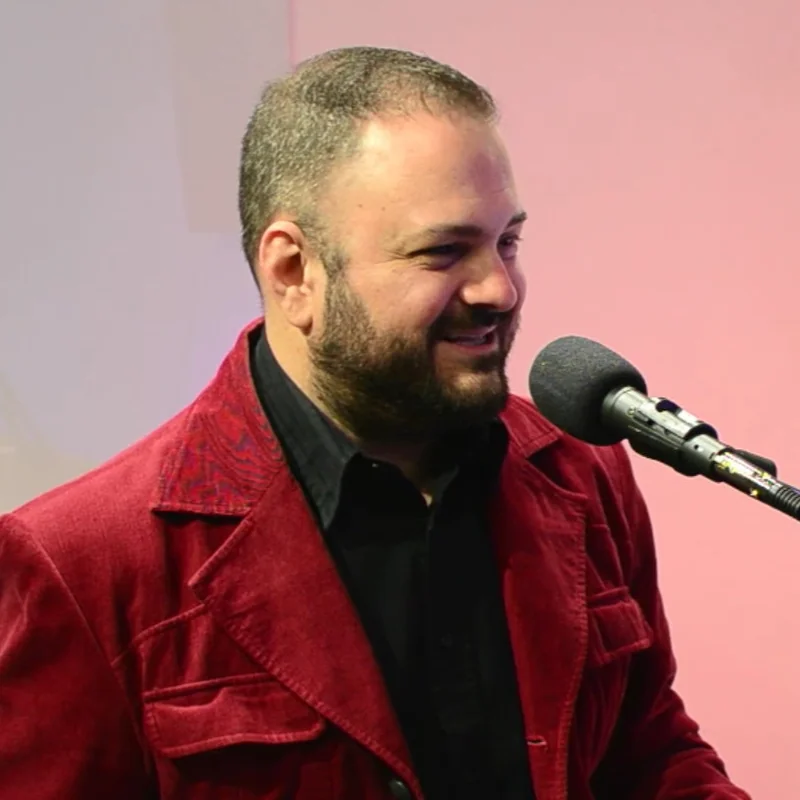
I'm Brian. I still record every week.
I've produced a podcast for years. 270+ episodes, real guests, real deadlines. I've had the recording tool fall apart with a guest waiting on me. I've also spent the four hours afterward bouncing between an editor, a thumbnail tool, a scheduler, and five browser tabs. I built ShowMuse for both.
I got tired of paying three companies to do one job badly, so I built the thing I wanted. Every feature exists because a real episode of mine needed it.
I ship updates most weeks, and I answer my own messages. If something's broken, you're talking to the person who can fix it.
Brian, host and builder
One place.
From first invite to last post.
Use the features you want and keep your own tools for the rest. For example, record in ShowMuse and export the recordings to edit in Premiere, or bring finished files from anywhere and use ShowMuse for editing, clips, and publishing. Every AI feature is additive and optional, there to automate a step you'd rather skip, and ignoring it changes nothing about your production workflow.
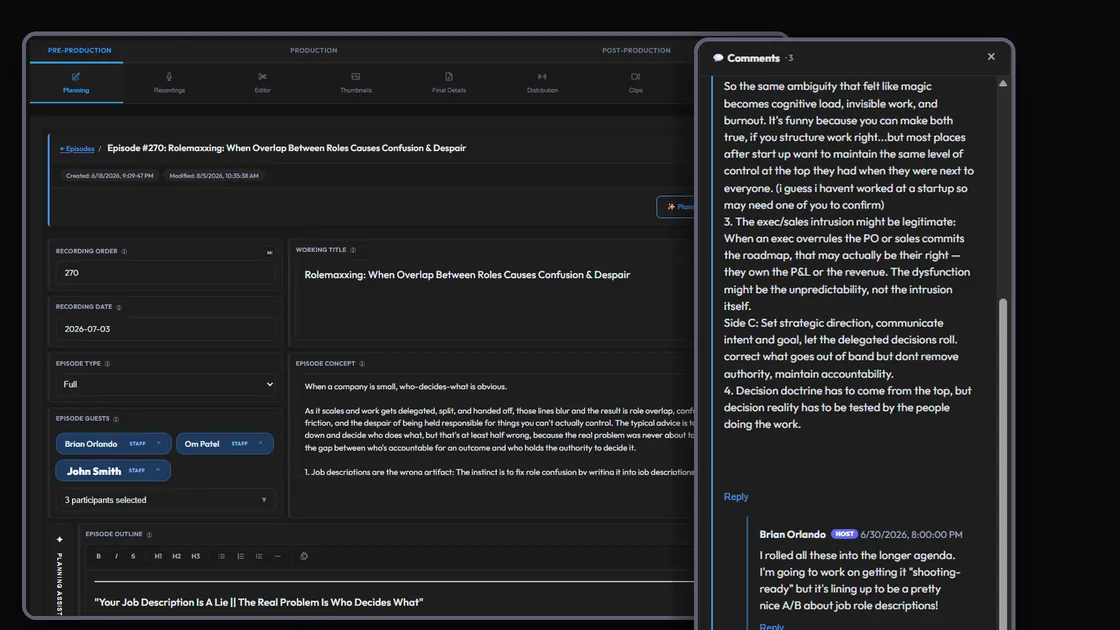
Plan with your guests
Invites, RSVPs, bios, and topic approvals in one place. Your guest helps build the outline before you record.
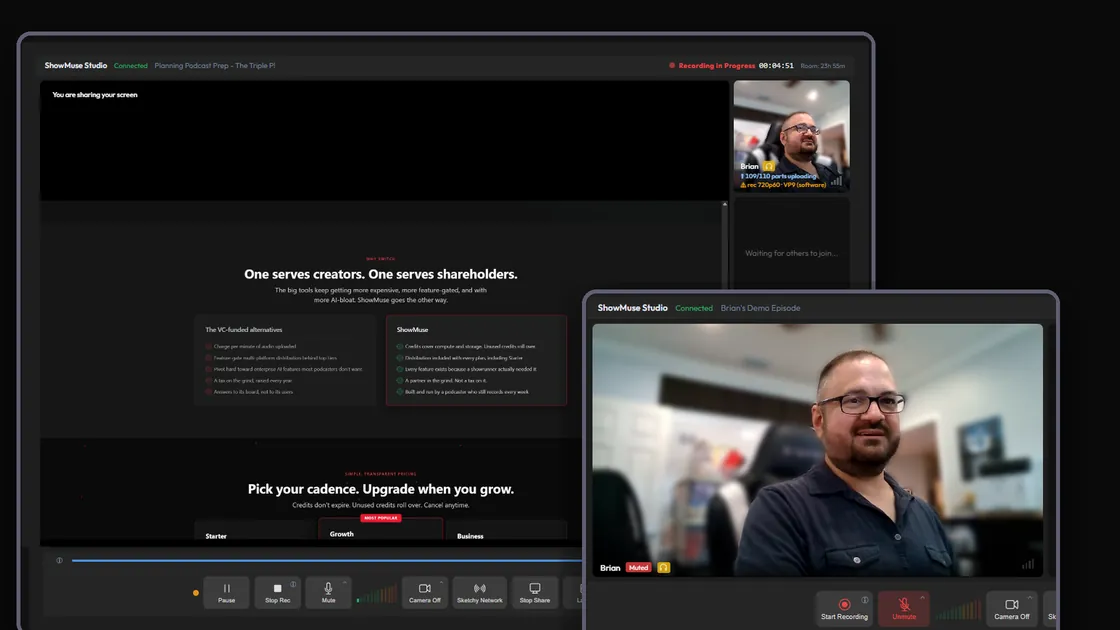
Record, or bring your own files
Record in the browser with up to 3 people, each on their own device and their own track, saved as it goes. Lose your connection and rejoin, the take is still there. You see what every camera is recording WHILE it records. Or drag in MP3s and MP4s from Zoom, OBS, or whatever you use today.
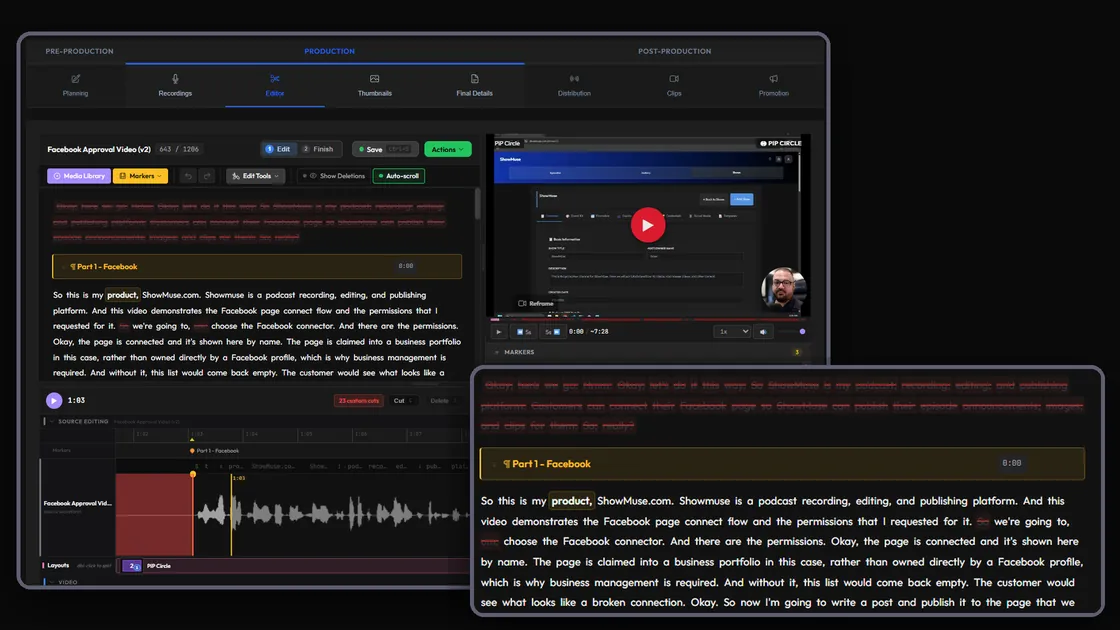
Edit by transcript or waveform
Delete a word, the audio goes with it. Or open the timeline for fine control. Filler and silence removal on every plan.
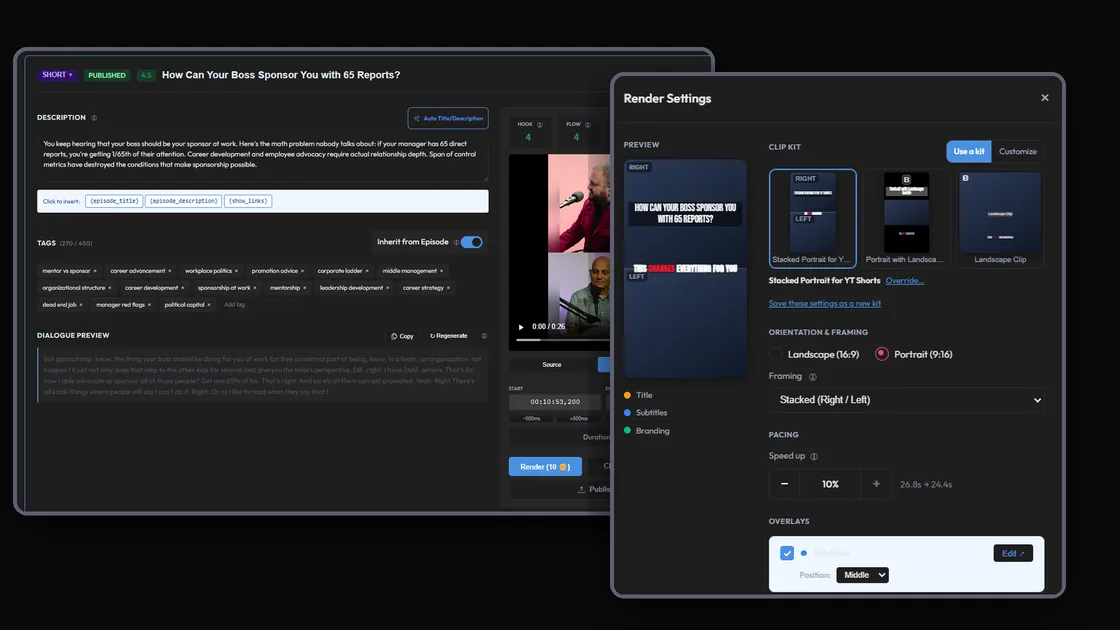
Clips, thumbnails, show notes
Cut clips with captions, pull thumbnails with face detection, draft the notes. One episode becomes a week of content.
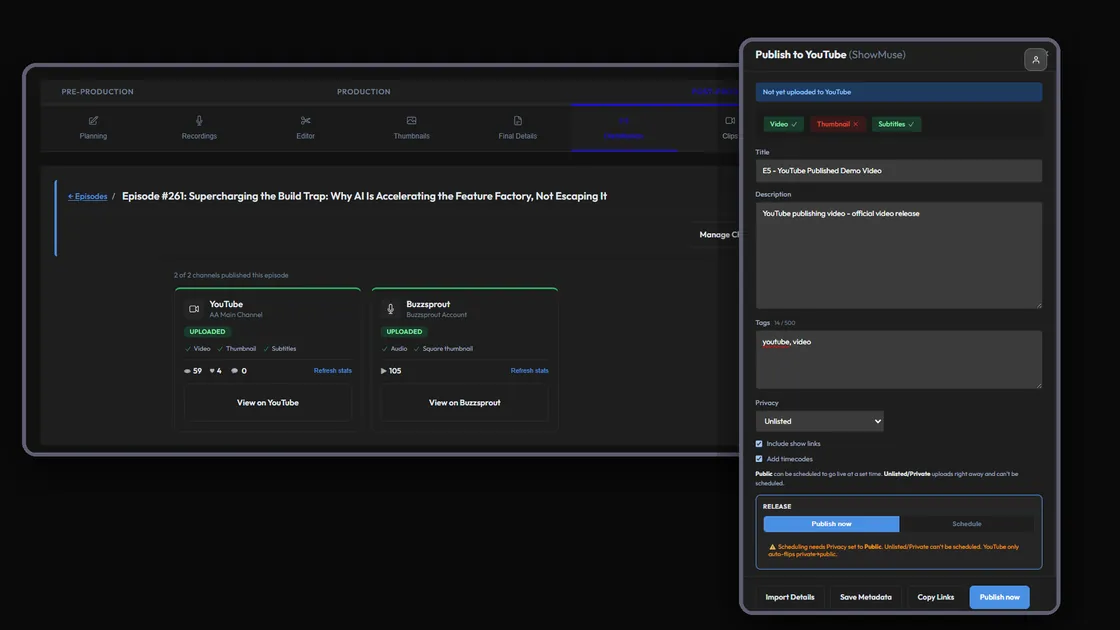
Publish everywhere at once
One click puts the episode on YouTube and Buzzsprout. Or let ShowMuse host the feed itself, and Apple, Spotify and the rest pull from that. Doing your own distribution? Take the finished files and go. More hosts are coming: .
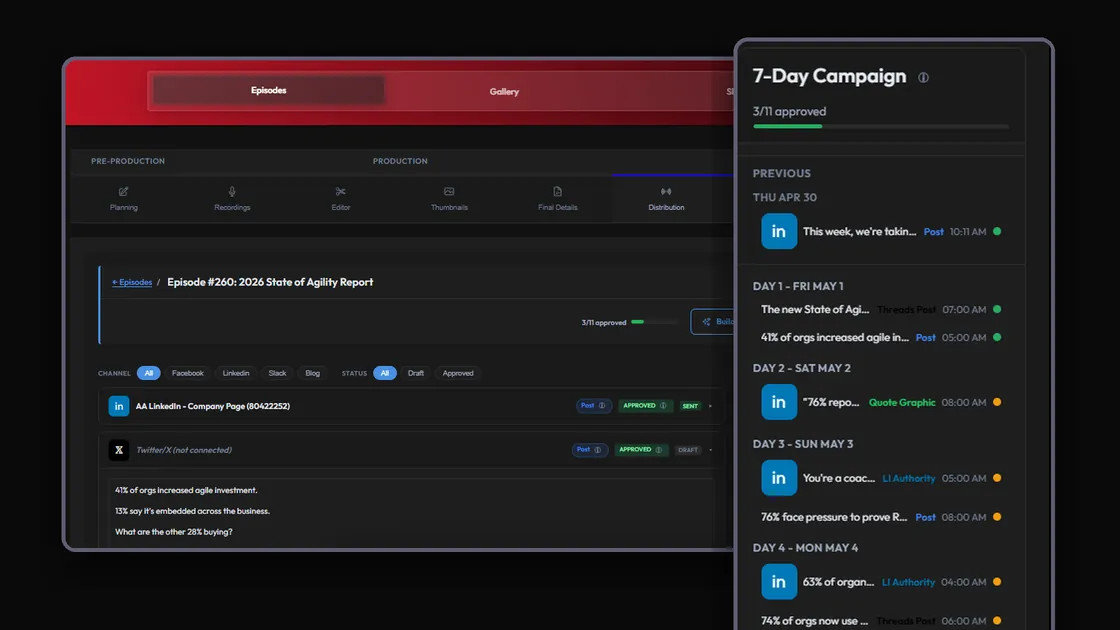
Promote on a schedule
Campaigns across Facebook, Instagram, Threads, LinkedIn, and Slack. You approve every post before it goes out.
Theirs serves shareholders.Ours serves creators.
Companies that take millions in funding HAVE to grow their bottom line every year.
ShowMuse only serves podcasters.
The VC-funded alternatives
- Charge per minute of audio uploaded
- Feature-gate multi-platform distribution behind top tiers
- Pivot hard toward enterprise AI features most podcasters don't want
- A tax on the grind, raised every year
- Answers to its board, not to its users
ShowMuse
- Credits cover compute and storage. Unused credits roll over.
- Distribution included with every plan, including Starter
- Every feature exists because a showrunner actually needed it
- A partner in the grind. Not a tax on it.
- Built and run by a podcaster who still records every week
Enshittification is a business model. It's just not mine.
Pick your cadence.
Every plan includes everything.
Unlimited shows, unlimited seats and unlimited storage on every tier.
Credits roll over. Cancel anytime.
Billed as $168/year, or $19 month-to-month
Everything you need to run one show.
- 150 credits a month
- Enough for a bi-weekly video or a weekly audio podcast
- Clips, thumbnails and social campaigns included
- YouTube, Buzzsprout, or host your feed with us
- Recording, transcripts, and the editor
14 days free. 75 credits. Cancel anytime.
Billed as $348/year, or $39 month-to-month
For a weekly video show, or a couple of smaller ones.
Everything in Starter, plus:
- 350 credits a month
- Enough for a weekly video podcast
- More clips and more social media campaigns
14 days free. 75 credits. Cancel anytime.
Billed as $1,332/year, or $139 month-to-month
For producers, agencies, and anyone running more than one show.
Everything in Growth, plus:
- 1,400 credits a month
- Enough for several shows at once, or a daily one
- Clips and campaigns at volume
- Priority support
14 days free. 75 credits. Cancel anytime.
Need more? $9 for 50 credits, on any plan.
Try it before you decide anything.
Open the editor, load a file, cut a sentence. No account, nothing to cancel.
Questions, straight answers
14 days. 75 credits. Card on file (so you don't lose your work at midnight on day 14). Cancel anytime during the trial and you won't be charged. Unused trial credits roll into your first month.
Credits pay for actions that cost real money to run, such as recording sessions, storing media files, transcript generation, clip rendering, and pulling thumbnails automatically. Every plan comes with monthly credits and unused credits always roll over (with the option to purchase more).
Yes. Upload a finished MP4 and use ShowMuse only for distribution, clips, thumbnails, and social. Or use our editor. Most teams mix and match.
Drop the file in. ShowMuse imports MP3, MP4, and most common formats. You don't have to switch recording tools to use the rest of the platform.
You can run multiple shows on any paid plan - and a show you don't use costs nothing. Business ($139/mo, 1,400 credits) is built for actively producing across several at once. Running a big operation? Contact us - we'll size it for you.
Anytime, self-serve, from your account. You keep access until the end of your billing period. No retention call.